A coins store: members earn coins and buy roles, rooms and products.
Getting started
Set up the Coins bot in a few minutes. Do these steps in order.
1
Invite the bot to the right server
Invite the bot to the server your subscription is for. Get the invite link from the subscriptions control channel in the Fate Store server: press تعديل, then ارسال الروابط. The bot only works in that server and leaves any other server right away.
2
Give the bot a role with the right permissions
The bot creates private voice rooms and roles for subscriptions, so it needs View Channels, Send Messages, Embed Links, Attach Files, Read Message History, Add Reactions, Manage Messages, Manage Channels, Manage Roles and Move Members. Administrator is the easy way. Keep the bot's role high in Server Settings > Roles so it can give and delete the roles it creates.
3
Know the prefix
The default prefix is -, for example -profile. Mentioning the bot also works, for example @bot setup. This is handy if you forget the prefix. Change it with -prefix or from @bot vip.
4
Know who the owners are
Owners can use every command except -profile and -transfer, which are for everyone. Owners are the subscription owner and the extra owners you add with -setowner @member. See them with -ownerlist. For anyone else, owner commands do nothing and show no error.
5
Open the settings panel and set the logs
Type @bot setup (or -setup). Pick اعدادات اللوق and set three text channels: the purchase log (sales, subscriptions and service orders), the missions log and the points log. Keep the purchase log staff-only, because service orders are accepted there. The panel stays open for 15 minutes.
6
Set up the economy
In اعدادات البوت set the coin name (default Coins), the chat and voice rates, the subscription length in days (default 30) and the private rooms category (send the category ID). Members get the chat rate for every 5 counted messages and the voice rate for every 5 minutes in voice.
7
Add products
In اعدادات الاسعار والنقاط > إضافة منتج جديد pick a type. Digital (codes): send name price, then edit the product and add codes. Sub: pick روم خاص or رول مميز and send the price. Other (a service you deliver by hand): send name price.
8
Add daily missions (optional)
In اعدادات المهام pick a type (messages anywhere, minutes in voice, or messages in one channel), then type the goal, the reward and a short description. Members get one random mission every 24 hours.
9
Send the store panel
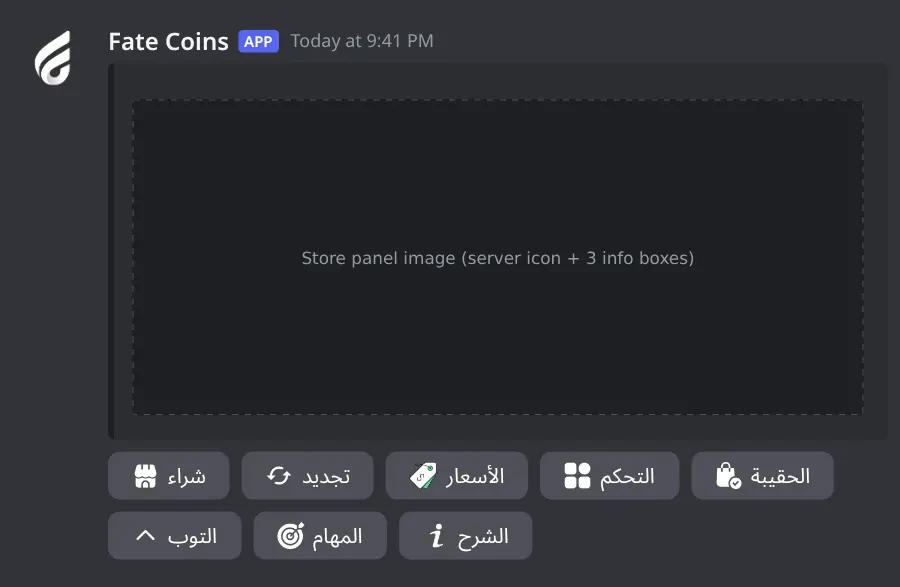
In اعدادات البوت pick رسالة الكنترول and mention the channel within 20 seconds. The bot posts the store image with 8 buttons: buy, renew, prices, control, bag, top, missions and guide. Optionally set the theme colour first in اعدادات الصور والالوان.
10
Daily use
Members earn coins by chatting, sitting in voice (not muted or deafened) and finishing missions, then spend them on the store panel. They control their private room or role from the التحكم button. You give or take coins with -setcoins @member +100, manage one member with -edit @member, block people or channels with -block, and accept or reject service orders in the purchase log.
Commands
Examples use the default prefix -. If you changed it, type yours instead.
Who can use a command?
Everyone
Any member. Some commands only work in the channels or rooms the bot is set to.
Owners only
The subscription owner and the extra owners you add (with setowner or from vip). Being the server owner isn't enough.
Setup1
-setup
Also works assettingssetting
Who can use it: Owners only
Opens the main settings panel: logs, products and prices, images and colours, daily missions, and bot settings.
Usage
-setup
Example
@bot setup
Also works as -settings or -setting. Mention the bot (@bot setup) if you don't know the prefix. Pick a section from the menu, then pick an option and type your answer in the same channel. Most answers have to come within 20 to 30 seconds (images 60 seconds). The panel stays open for 15 minutes and only the person who opened it can use it. This is also where you send the store panel (the control message) members use: اعدادات البوت > رسالة الكنترول.
Admin4
-block
Also works asblacklist
Who can use it: Owners only
Blocks members or roles from the bot, and excludes channels or categories from earning coins.
Usage
-block
Example
-block
Also works as -blacklist. Pick إضافة للحظر/الاستثناء or إزالة من الحظر/الاستثناء, then mention the members, roles, channels or categories (IDs work too) within 20 seconds. You can mix them in one message. مسح شامل للقائمة clears everything after you confirm. The panel works for 5 minutes.
Heads up: Blocked members get no reply to -profile and -transfer, can't use the store buttons, and earn no chat or voice coins. Excluded channels give no chat, voice or mission progress.
-edit
Also works asتعديل
Who can use it: Owners only
Opens an admin panel for one member: balance, orders, purchases, subscriptions and mission.
Usage
-edit <@member | ID>
Example
-edit @Sam
Also works as -تعديل. The first menu adds coins, takes coins away, resets the balance to 0, or closes the panel. For add and take away, type the amount within 15 seconds. If the member has active subscriptions, a second menu lists them: pick one to cancel it, or مسح جميع الاشتراكات to cancel all. The panel works for 2 minutes and only for you.
Heads up: Cancelling a subscription deletes its role or room right away, with no refund.
-reset
Who can use it: Owners only
Resets coins, missions, subscriptions or pending orders, for the whole server or one member.
Usage
-reset [@member]
Example
-reset @Sam
Without a mention it resets the whole server. Pick one: تصفير العملات (balances to 0), تصفير المهمات (active missions and progress), تصفير الاشتراكات (deletes subscription rooms and roles), تصفير الطلبات المعلقة (lets members order another service), or تصفير شامل (all of them). You have 30 seconds to pick. The reply shows how many records changed.
Heads up: There is no confirmation step and no undo. Picking an option resets right away.
-setcoins
Also works assetpoints
Who can use it: Owners only
Adds coins to a member or takes coins away.
Usage
-setcoins <@member | ID> <+amount | -amount>
Example
-setcoins @Sam +100
Also works as -setpoints. The amount must start with + (add) or - (take away), for example -setcoins @Sam -50. Taking away never goes below 0. The reply shows the member's new balance, and the change is logged in the points log. Without + or - you get ❌ استخدام خاطئ للأمر with the right format.
Heads up: There is no "set to an exact number" in this bot. To set a balance, reset it in -edit first, then add.
Settings10
-prefix
Also works assetprefix
Who can use it: Owners only
Shows or changes the bot prefix.
Usage
-prefix [new prefix]
Example
-prefix !
Also works as -setprefix. Without a value it shows the current prefix. Mentioning the bot always works as a prefix, for example @bot prefix -. You can also change it from @bot vip > برفكس البوت.
-setavatar
Also works assa
Who can use it: Owners only
Changes the bot's profile picture.
Usage
-setavatar <image link> (or attach an image)
Example
-setavatar https://example.com/avatar.png
Also works as -sa. Paste a link or attach the image to the command. The bot reacts ✅ when done. If you change it too often you get يرجى الانتظار يتم تغير الاقتار بوقت سريع .
-setbanner
Also works assb
Who can use it: Owners only
Changes the bot's profile banner.
Usage
-setbanner <image link> (or attach an image)
Example
-setbanner https://example.com/banner.png
Also works as -sb. Paste a link or attach the image to the command. The bot reacts ✅ when done.
-setgame
Also works asgame
Who can use it: Owners only
Changes the bot's activity text, or its online status.
Usage
-setgame <text> | -setgame status
Example
-setgame Nova Lounge store
Also works as -game. With text, the bot asks you to type a number: 1 Playing, 2 Watching, 3 Listening, 4 Streaming, 0 Cancel. With status, the numbers are 1 Online, 2 Idle, 3 Dnd, 4 Invisible, 0 Cancel. You have 60 seconds to answer.
-setname
Also works assn
Who can use it: Owners only
Changes the bot's username.
Usage
-setname <name>
Example
-setname Nova Coins
Also works as -sn. The name must be 2 to 32 characters. If it fails you get يرجى الانتظار يتم تغير الاسم بوقت سريع ، او الاسم غير صالح .
Heads up: Discord limits how often a bot can change its name. If it fails, wait about 30 minutes or try another name.
-vip
Also works asfate
Who can use it: Owners only
Opens the Bot Settings panel to change the bot's name, avatar, banner, activity, status, prefix and owners, or restart it.
Usage
-vip
Example
@bot vip
Also works as -fate. Mention the bot (@bot vip) if you don't know the prefix. The panel shows the prefix, who the bot is registered to, when the subscription ends and the subscription number. Pick an option, then type or attach your answer in the same channel within 60 seconds. The panel stays open for 4 minutes and only the person who opened it can use it.
-setserver
Also works assetguild
Who can use it: Owners only
Moves the bot to another server.
Usage
-setserver <server ID>
Example
-setserver <new server ID>
Also works as -setguild. The bot replies with an invite link for the new server, then leaves the current one. Use that link to add it to the new server. You can also change the server from the subscriptions control channel in the Fate Store server: press تعديل, then تغير السيرفر.
Heads up: The bot leaves your server right away. Coins, products and settings are saved per server, so they don't move with it.
-ownerlist
Who can use it: Owners only
Lists the extra owners you added.
Usage
-ownerlist
Example
-ownerlist
The subscription owner is not shown here. If you haven't added anyone you get قائمة الاونرات فارغة .
-setowner
Also works asowners
Who can use it: Owners only
Adds or removes an extra bot owner.
Usage
-setowner <@member | ID>
Example
-setowner @Omar
Also works as -owners. Owners can use every command, including @bot setup, @bot vip, -setcoins and -reset. Run it again on the same member to remove them. The bot reacts ✅ when added and ☑️ when removed.
Heads up: Owners can give coins and reset the whole economy. Only add people you trust.
-restart
Who can use it: Owners only
Restarts the bot.
Usage
-restart
Example
-restart
The bot reacts 👾 and comes back after a few seconds. Balances, products, subscriptions and settings are kept.
Heads up: Open panels and waiting answers are cancelled. The 5-minute voice timer starts over for members in voice.
Members2
-profile
Also works asبروفايلنقاطي
Who can use it: Everyone
Shows a profile card with the balance, active subscriptions and total purchases.
Usage
-profile [@member | ID]
Example
-profile @Sam
Also works as -بروفايل or -نقاطي. Without a mention it shows your own card. The bot shows ⏳ while it draws the image. If drawing fails you get ❌ حدث خطأ أثناء إنشاء البروفايل.
-transfer
Also works asتحويلtrans
Who can use it: Everyone
Sends coins to another member, after a confirmation step.
Usage
-transfer <@member | ID> <amount>
Example
-transfer @Sam 100
Also works as -تحويل or -trans. A 5% tax is taken (rounded down): you pay the full amount and the other member gets the rest. The confirmation shows the amount, the tax and the net amount. Press تأكيد التحويل within 20 seconds or it's cancelled. You can't send to yourself or to a bot, and you can't send more than your balance. The transfer is logged in the points log.
Heads up: If the owners turned transfers off you get ⚠️ نعتذر، نظام التحويل معطل حالياً.
Panels and guides
What each panel and menu does, and how to set it up.
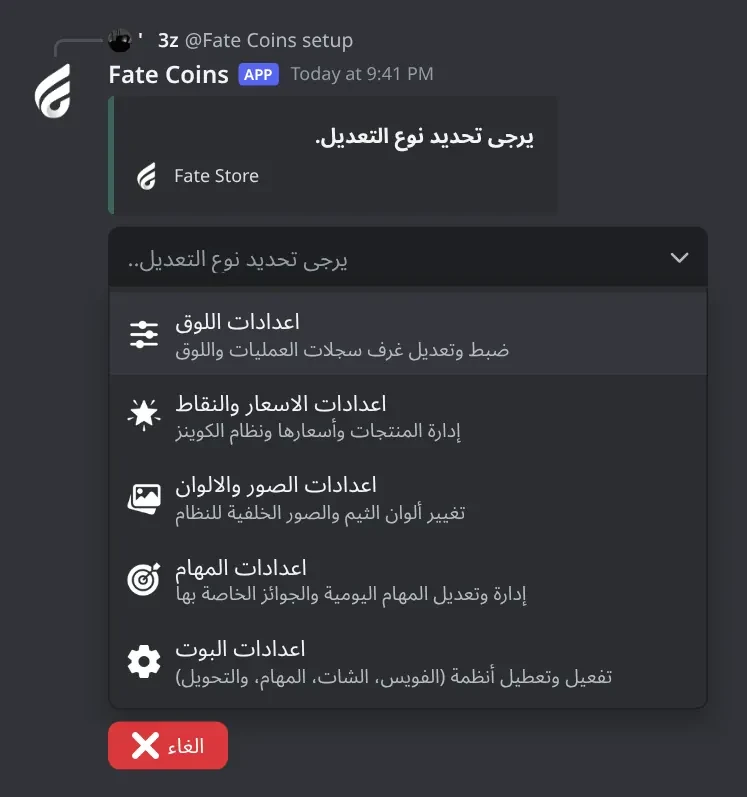
Settings panel
The main panel with five sections: logs, products, images and colours, missions, and bot settings.
Settings panel · The main settings panel. Pick one of the five sections to set up logs, products, images, missions and the bot's systems.
What's in it
اعدادات اللوق: the three log channels.
اعدادات الاسعار والنقاط: add, edit, list and delete products.
اعدادات الصور والالوان: theme colour and store panel image.
Type your answer in the same channel before the time runs out (20 to 60 seconds).
Check the panel updated, then pick the next option.
Common mistakes
Answering too late. Pick the option again.
Log settings
Where the bot posts sales, subscriptions, service orders, missions and coin changes.
What's in it
لوق الشراء: digital sales, subscription activations, renewals and expiries, service orders with ✅/❌.
لوق المهمات: missions given and completed.
لوق النقاط: chat and voice coins, transfers, -setcoins.
How to set it up
Type @bot setup and pick اعدادات اللوق.
Pick a log type.
Mention a text channel within 30 seconds.
Common mistakes
Mentioning a voice channel or a category. Only text channels are saved.
Leaving the purchase log public. Anyone who sees it can accept or reject service orders.
Expecting the points log to be quiet. It gets a message for every chat and voice grant, so use a separate channel.
Products and prices
Add, edit, list and delete the products members can buy.
What's in it
إضافة منتج جديد: pick Digital, Sub or Other.
تعديل منتج موجود: digital products get stock options; subscriptions and services get name, price and stock limit.
عرض جميع المنتجات: every product and price.
حذف منتج: pick one or more products to delete.
How to set it up
Type @bot setup and pick اعدادات الاسعار والنقاط.
Pick إضافة منتج جديد, then the type.
For Digital and Other send name price within 30 seconds, for example نيترو 100.
For a digital product, open تعديل منتج موجود, pick it, then إضافة كود جديد and send the codes.
Common mistakes
Putting the price first. The last word must be the price.
Adding a digital product with no codes. It shows نفذ until you add stock.
Setting a stock limit and forgetting it. When it reaches 0 the product shows نفذ. Send 0 in تعديل المخزون (الحد) for no limit.
Subscriptions: private rooms and roles
Sell a private voice room or a special role that lasts the subscription length and is deleted when it ends.
What's in it
روم خاص: a hidden voice channel in your private rooms category. The buyer sees it, can move members, and controls it from التحكم.
رول مميز: a new role with the buyer's chosen name, given to them.
Length: تعديل مدة الاشتراك in bot settings (default 30 days). Renewal adds the same days at the current price.
How to set it up
Set كاتوقري الرومات الخاصه in اعدادات البوت (send the category ID).
In اعدادات الاسعار والنقاط > إضافة منتج جديد pick الاشتراكات (Sub).
Press روم خاص or رول مميز within 30 seconds, then send the price within 20 seconds.
Optionally rename the product in تعديل منتج موجود.
Common mistakes
No rooms category set. Rooms are then created outside any category.
The bot is missing Manage Channels or Manage Roles. Members get ❌ فشلت العملية بسبب خطأ في الصلاحيات. (no coins are taken).
Expecting the room or role to stay after expiry. It's deleted automatically; members get a DM 24 hours before.
Images and colours
Recolour every image the bot draws, or replace the store panel image with your own design.
What's in it
تعديل ألوان القوالب: a HEX colour like #3e635b.
إضافة تصميم كامل للكنترول: your own full store panel image.
حذف جميع الصور المحفوظة: back to the defaults.
How to set it up
Type @bot setup and pick اعدادات الصور والالوان.
Pick تعديل ألوان القوالب and send the colour within 30 seconds, or pick إضافة تصميم كامل للكنترول and upload the image within 60 seconds.
Send the store panel again from اعدادات البوت > رسالة الكنترول.
Common mistakes
Sending a 3-digit colour like #f00. Use all 6 digits.
Not sending the store panel again. The old message keeps its old image.
Daily missions
Mission templates members get from the المهام button: one random enabled mission every 24 hours.
What's in it
إرسال رسائل (عام): send X messages anywhere.
انضمام لروم صوتي: spend X minutes in voice (not muted or deafened).
شات محدد: send X messages in one channel.
معلومات مهمه: details and Enable/Disable.
حذف مهمه: delete a mission.
How to set it up
Type @bot setup and pick اعدادات المهام.
Pick a type and type the goal within 30 seconds (for شات محدد: #general 50).
Type the reward within 20 seconds.
Type a short description within 30 seconds.
Common mistakes
Typing 0 or text as the goal. The mission isn't added.
Forgetting the channel mention for شات محدد.
Bot settings
Send the store panel and control how members earn coins.
What's in it
رسالة الكنترول: posts the store panel in a channel.
حسبة الفويس, حسبة الشات, نظام المهام, نظام التحويل: on/off switches.
تعديل نقاط الشات: coins per 5 counted messages (messages less than 3 seconds apart don't count).
تعديل نقاط الفويس: coins per 5 minutes in voice.
تعديل مدة الاشتراك, تعديل اسم العمله, كاتوقري الرومات الخاصه.
How to set it up
Type @bot setup and pick اعدادات البوت.
Pick an option. Switches flip right away; the others wait 20 seconds for your answer.
Check the fields on the panel.
Common mistakes
Mentioning the category for كاتوقري الرومات الخاصه. Send its ID.
A coin name of 15 characters or more. Keep it to 14 characters or fewer.
Expecting the rate per message or per minute. It's per 5 messages and per 5 minutes.
Store panel
The message members use to buy, renew, check prices, control their room or role, see their bag, the top, missions and the guide.
Store panel (control message) · The message members use for everything: buying, renewing, prices, managing their room or role, their bag, the leaderboard, missions and the guide.
What's in it
شراء, تجديد, الأسعار: the store.
التحكم: manage your private room or role.
الحقيبة, التوب: balance, last purchases and the leaderboard.
المهام, الشرح: daily missions and the guide.
How to set it up
Type @bot setup > اعدادات البوت > رسالة الكنترول.
Mention the channel within 20 seconds.
Lock the channel so only the bot can write there.
Common mistakes
Sending it before adding products. The buttons work, but the store is empty (⚠️ المتجر فارغ حالياً.).
Deleting the panel message. Send a new one; old buttons keep working as long as the message exists.
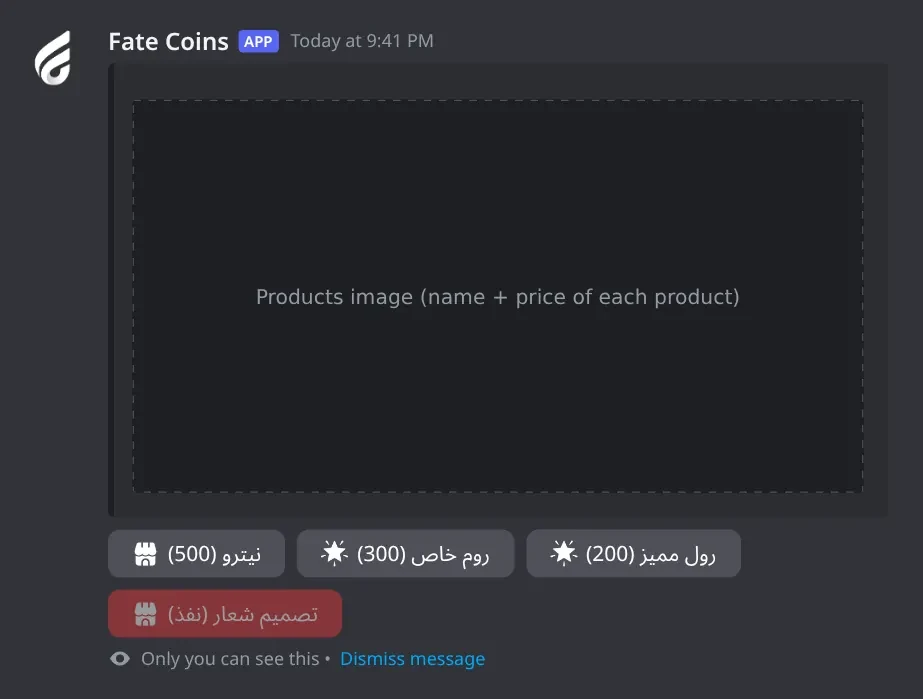
Buying
How each product type is delivered.
Buy · The products image with one button per product. Press a product to buy it.
What's in it
Digital: the next code is sent right away, privately and by DM.
Subscription: a form asks for the room or role name, then it's created.
Other: the order waits in the purchase log for staff.
How to set it up
The member presses شراء on the store panel.
They press the product's button.
The price is taken from their balance.
Common mistakes
A grey button: not enough coins, نفذ (out of stock) or معطل (off).
A second service order while one is waiting: ⚠️ لديك طلب معلق بالفعل.
Service orders
Orders for Other products wait in the purchase log until staff accept or reject them.
What's in it
✅: accept. The order goes into the member's bag and they get a DM.
❌: reject. The coins go back to the member and they get a DM.
How to set it up
Deliver the service to the member.
Press ✅ on the order in the purchase log, or ❌ to refund.
Common mistakes
No purchase log set. Orders then have nowhere to go and the member stays stuck. Fix it with -reset @member > تصفير الطلبات المعلقة and refund with -setcoins.
A public purchase log. Anyone who sees it can press the buttons.
Renewing
Members extend a subscription before it ends.
What's in it
The menu lists the member's active subscriptions with their end dates.
How to set it up
The member presses تجديد.
They pick the subscription.
The current price is taken and the subscription length is added to the end date.
Common mistakes
Waiting until it expires. Expired rooms and roles are deleted and can't be renewed; buy again.
Controlling a private room or role
The temporary private room (and the special role) is controlled from the التحكم button on the store panel.
What's in it
Room: تغيير الاسم, قفل / فتح, إخفاء / إظهار, إضافة عضو, إزالة عضو.
Role: تغيير الاسم, تغيير اللون, الأيقونة, إضافة عضو, إزالة عضو.
How to set it up
The member presses التحكم.
They pick the room or role from the menu.
They press a button. For add or remove member, they mention the member in the same channel within 20 seconds.
Common mistakes
Looking for room commands. There are none; everything is on the التحكم button.
Setting a role icon without Boost Level 2 or with a page link instead of a direct image link.
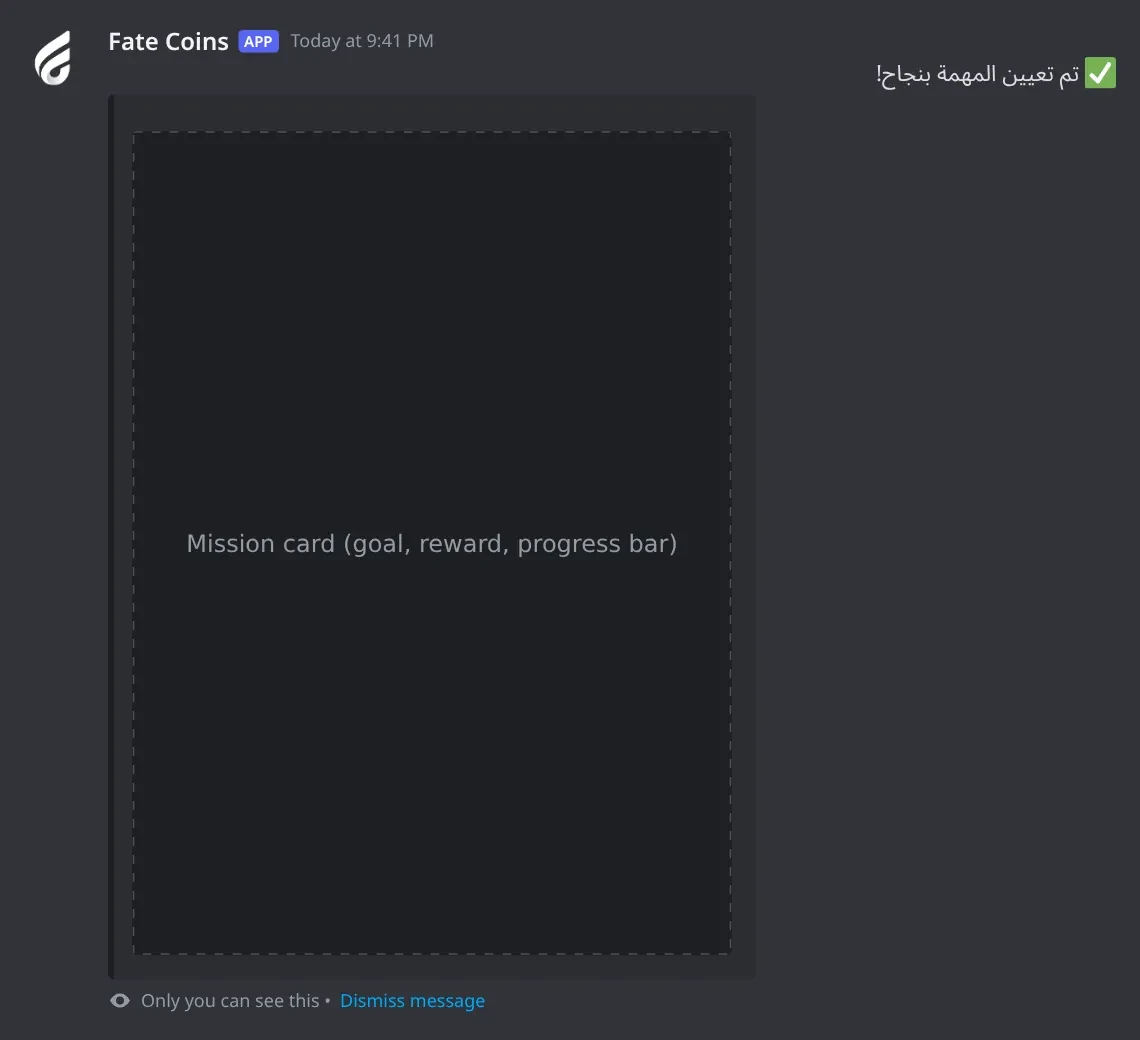
Missions for members
What members see when they press المهام.
Daily mission · Gives you a random daily mission, or shows your current mission and progress.
What's in it
First press: a random mission card, also sent by DM.
Next presses: the same mission with progress and the hours left.
How to set it up
The member presses المهام.
They do the mission within 24 hours.
The reward is added automatically with a DM.
Common mistakes
Expecting a new mission right after finishing one. It's one per 24 hours from when they took it.
Muted or deafened in voice. That time doesn't count.
Transfers
Members send coins to each other with -transfer. A 5% tax is taken.
What's in it
تأكيد التحويل: sends it.
إلغاء: cancels.
How to set it up
Type -transfer @member amount.
Check the tax and net amount.
Press تأكيد التحويل within 20 seconds.
Common mistakes
Expecting the full amount to arrive. The receiver gets the amount minus 5%.
Transfers turned off in اعدادات البوت > نظام التحويل.
Member admin panel
See and change one member's coins and subscriptions.
What's in it
إضافة نقاط, خصم نقاط, تصفير النقاط: change the balance.
إدارة الاشتراكات النشطة: cancel one or all subscriptions (deletes the room or role).
How to set it up
Type -edit @member.
Pick an option and type the amount within 15 seconds.
The panel updates; it works for 2 minutes.
Common mistakes
Expecting a points log entry. Use -setcoins for that.
Block panel
Keep members, roles or channels out of the economy.
What's in it
Blocked members and roles: no replies, no store buttons, no coins.
Excluded channels and categories: no chat, voice or mission progress there.
How to set it up
Type -block.
Pick إضافة للحظر/الاستثناء or إزالة من الحظر/الاستثناء.
Mention them (or paste IDs) within 20 seconds.
Common mistakes
Forgetting a blocked role. Members with it can't use anything, even if they aren't blocked themselves.
Excluding an AFK or commands channel is a good idea; excluding your main chat stops chat coins there.
Reset panel
Wipe coins, missions, subscriptions or pending orders.